Create Backup
- Go to Volume Backups
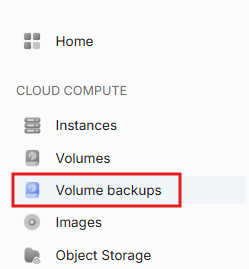
- Click Create Backup

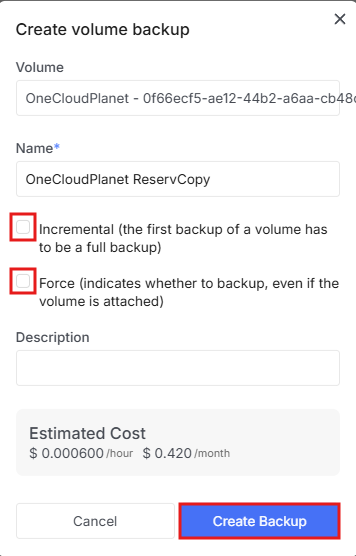
- In the window that opens, select which volume to back up from the dropdown list. Enter a name and click Create Backup
Warning!
When creating a backup, pay attention to two options:
- Incremental
- Force
An incremental backup saves only the changes that have occurred since the previous backup, unlike a full backup which copies the entire disk each time. This saves space and time. The first backup is always created as a full backup — regardless of whether this option is selected.
Forcing a backup allows you to back up a disk that is currently attached to a running VM. By default, OpenStack blocks this to avoid data inconsistency. Use this option only if the VM is not actively writing data at that moment.